

Why Electronics Kits Beat Screen-Based Coding Toys
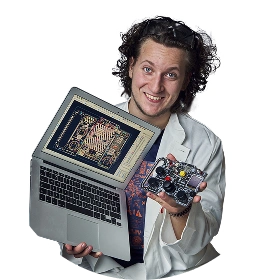
Read stories how our founder Albert turned his childhood passion into CircuitMess, and get exciting DIY project ideas you can do with your kids at home for free.
Table of content
Kids who build physical electronics projects retain more, understand deeper, and develop broader skills than kids who only learn to code on a screen. This isn't an opinion - it's backed by research in embodied cognition, which shows that physical interaction with learning materials creates stronger neural connections than screen-based interaction alone.
That doesn't mean coding apps are useless. Scratch, Code.org, and similar platforms are solid tools for teaching programming logic. But when parents ask "what's the best way to get my kid into tech?", the answer isn't one or the other - it's understanding what each approach actually teaches and what it leaves out.
Here's the core issue: a kid who only codes on screen learns to think in abstractions. A kid who builds electronics and then codes them learns to think in systems - how software controls hardware, how sensors read the physical world, how electrical signals become useful behavior. That systems-level thinking is what separates consumers of technology from builders of it.

What Screen-Based Coding Actually Teaches
Let's give credit where it's due. Platforms like Scratch, developed at MIT, have introduced millions of kids to fundamental programming concepts. When a kid drags a "repeat 10 times" block around a "move 10 steps" block in Scratch, they're learning loops. When they use "if touching edge, bounce," they're learning conditionals. These are real computer science concepts presented through an intuitive visual interface.
The same goes for platforms like Code.org's Hour of Code, Codecademy, and game-based coding tools like CodeCombat and Lightbot. They teach sequencing, logic, variables, and problem-solving - the building blocks of all programming.
Where screen-based tools excel:
They're free or cheap. Scratch costs nothing. Code.org is free. Most introductory coding platforms have a zero-cost entry point, which makes them accessible to every family regardless of budget. They're also immediately available - no shipping, no setup, no parts to lose. For a first taste of "what is coding?", they're unbeatable.
Where they fall short:
The output is always virtual. A kid programs a character to dance on screen, builds a simple game, or creates an animation. These are genuine creative accomplishments, but they exist only inside the computer. When the screen closes, the work disappears from the physical world. There's nothing to hold, show a friend in person, or put on a shelf.
More importantly, screen-based coding teaches software in isolation from hardware. Kids learn that code makes things happen on screen, but they don't learn how code makes things happen in the real world - how a sensor converts physical input into electrical signals, how a motor turns digital commands into physical motion, how a wireless radio converts data into electromagnetic waves.
What Hands-On Electronics Kits Teach Differently
When a kid builds a CircuitMess Wheelson 2.0 - a DIY self-driving robot car - they're learning on multiple levels simultaneously.
Physical assembly teaches spatial reasoning, component recognition, and mechanical engineering. Each part connects for a reason, and the build process shows why: this sensor points forward because it needs to detect obstacles, this motor connects here because it drives this wheel, this battery connects through this regulator because the processor needs stable voltage.
Electronics understanding comes naturally through the build. Kids handle real circuit boards, connect actual sensors, and see how components relate to each other. When something doesn't work, they troubleshoot physical connections - a skill that screen-based coding simply cannot teach.
Programming becomes concrete. When a kid writes code that makes their robot turn left, the robot physically turns left. The feedback loop between code and reality is immediate, visible, and tangible. Research in embodied cognition shows this matters enormously for learning. A 2021 study published in the Journal of Computers in Education found that students in multimodal embodiment conditions - combining physical movement with digital interaction - performed significantly better on delayed post-tests than those using screens alone. The physical experience literally helps the brain encode information more deeply.
Debugging is multidimensional. In screen-based coding, debugging means finding a logic error in code. In physical computing, debugging might be a code error, a loose connection, a sensor pointed the wrong direction, or a motor wired backward. This broader debugging experience maps directly to real engineering, where problems are rarely just software or just hardware - they're systems problems.
The Research: Why Physical Interaction Creates Deeper Learning
This isn't just intuitive - the cognitive science supports it clearly.
Embodied cognition is the theory that our thinking is fundamentally shaped by our physical experiences. When kids manipulate physical objects while learning, they activate more neural pathways than when they interact with screens alone. Research from the Raspberry Pi Foundation on grounded cognition in computing education found that physical activities during computing instruction - manipulating objects, moving in space, using tangible interfaces - consistently improved understanding and retention of abstract concepts.
Tangible user interfaces (TUIs) - physical objects that connect to digital systems - have been studied extensively in educational contexts. A 2015 study in Computers & Education found that learners using tangible interfaces showed significantly higher learning outcomes, better retention, and lower cognitive load compared to screen-only interfaces. The physical manipulation provides additional memory cues that help the brain organize and retrieve information.
The retention gap is measurable. Students who learn concepts through physical interaction retain them longer than those who learn the same concepts through screen-based instruction. This holds true even weeks after the learning experience, suggesting that the physical component creates more durable neural connections, not just temporary engagement boosts.
One important caveat: Research also shows that high interactivity without structure can overwhelm learners, leading to lower performance. This is why well-designed kits with clear instructions (like CircuitMess's step-by-step build process) outperform open-ended "here are some parts, figure it out" approaches for most kids. Structure provides the scaffolding that lets physical interaction enhance learning rather than complicate it.
The Specific Skills Gap: What Screen-Only Kids Miss
Here are concrete capabilities that electronics kits develop and screen-based coding alone does not:
Understanding Inputs and Outputs
In Scratch, a kid programs: "when space key pressed, move character right." The input is a keyboard press, the output is a pixel moving on screen. In a CircuitMess kit, the equivalent is: "when camera detects obstacle, turn motors left." The input is a physical sensor reading electromagnetic radiation, converting it to an electrical signal, processing it through an algorithm, and the output is electrical current flowing to a motor that converts it to rotational force. Same programming concept, vastly richer understanding of how technology interfaces with the physical world.
Spatial Reasoning and Assembly
Building a physical device requires reading diagrams, orienting components correctly, managing cables, and understanding how three-dimensional objects fit together. These spatial reasoning skills transfer to engineering, architecture, surgery, and any field that involves working with physical systems. Screen-based coding develops none of this.
Electrical Fundamentals
Kids who build electronics learn - through direct experience - concepts like circuit continuity, voltage, current flow, sensor operation, and wireless signal propagation. They learn that batteries have polarity, that LEDs need current limiting, that loose connections cause intermittent failures. These concepts are invisible in screen-based coding but foundational to any technical career.
Soldering (for Advanced Kits)
The CircuitMess NASA Mars Rover requires soldering over 300 components - a manual skill used in professional electronics manufacturing, repair, and prototyping. Learning to solder teaches fine motor control, patience, thermal management, and quality inspection. No amount of screen-based learning teaches a physical craft skill.
The "It Actually Works" Factor
When a kid finishes a screen-based project, they have something that runs in a browser. When they finish building a CircuitMess Chatter 2.0, they have a pair of encrypted communicators that actually send messages over radio waves - no Wi-Fi required. The psychological impact is different. Building something real creates confidence and identity: "I am someone who builds technology." That identity shapes future choices in ways that completing a coding tutorial doesn't.
The Best Approach: Physical Building + Code
The argument here isn't that screen-based coding is bad. It's that screen-based coding alone leaves major gaps. The most effective STEM learning combines both: physical building that develops hands-on skills and systems thinking, paired with a programming environment that teaches software logic and computational thinking.
This is exactly what well-designed electronics kits do. CircuitMess kits, for example, include both a hardware build (physical assembly of real electronic components) and a software layer (CircuitBlocks visual coding, with options to advance to Python or C++). Kids build the device, then program its behavior, creating the full loop from physical hardware to digital software and back to physical output.
This combined approach means a kid who starts with a CircuitMess Bit 2.0 at age 7 gets:
From the build: Component handling, spatial assembly, circuit understanding, following technical instructions, and a finished game console they keep.
From the coding: Variables, loops, conditionals, event handling, debugging, and the creative satisfaction of making the console do new things.
From the combination: Systems thinking - understanding how software controls hardware, how physical inputs become digital data, and how digital commands create physical actions. This is the skill set that defines modern engineering, robotics, IoT development, and AI - fields where software never exists in isolation from the physical world.
When to Use What: A Practical Framework
Rather than choosing one over the other, use each where it's strongest:
Start with screen-based coding if your kid has never coded and you want a zero-cost way to test their interest. Scratch is free, runs in a browser, and takes five minutes to start. If they engage with it for more than a few sessions, they're showing genuine interest worth investing in.
Move to electronics kits when your kid wants to make something real. The transition point is usually when screen-based projects start feeling abstract - when the kid asks "but what can I actually do with this?" or "can I make something I can hold?" That's the moment to introduce a physical kit.
Use both in parallel for the deepest learning. Let your kid code in Scratch for creative projects (animations, games, stories) while building electronics kits to learn how technology works physically. The programming concepts transfer between contexts, and the physical building adds dimensions that screen-only learning misses.
A realistic progression looks like this:
Ages 5-7: Scratch or Code.org for first coding concepts, Snap Circuits for first circuit understanding. Ages 7-10: CircuitMess Bit 2.0 combines both worlds - physical build plus block-based coding. Ages 10-13: CircuitMess Wheelson 2.0 or Chatter 2.0 for serious electronics, with Python or C++ replacing visual blocks. Ages 14+: CircuitMess Mars Rover for advanced building, Arduino or Raspberry Pi for open-ended projects, real programming languages for software depth.

The Real-World Outcome
Here's what this all leads to practically. A teenager who learned to code only on screen can write software. That's a valuable skill. A teenager who learned to code and built electronics can write software that controls hardware - robots, IoT devices, embedded systems, medical instruments, autonomous vehicles. That's a deeper and increasingly more demanded skill set.
The industries growing fastest in 2026 - AI, robotics, autonomous systems, clean energy, space technology - all require people who understand the intersection of hardware and software. The engineers building self-driving cars at Waymo, the roboticists at Boston Dynamics, the hardware designers at Apple - they didn't learn their craft on screen alone. They built things with their hands, broke them, fixed them, and developed the intuition that only comes from physical experience with technology.
Electronics kits give kids a head start on that path. Screen-based coding gives them part of the picture. Both together give them the whole thing.
Frequently Asked Questions
Is Scratch enough to teach kids coding?
Scratch teaches real programming concepts - loops, conditionals, variables, events, and sequencing - through an accessible visual interface. For learning coding logic, it's genuinely effective and completely free. What Scratch doesn't teach is how code interacts with physical hardware, how sensors and motors work, or how to build the devices that code controls. For a complete technology education, pair Scratch with a physical electronics kit that includes a programming environment, like CircuitMess kits which use CircuitBlocks (similar visual style) but control real hardware.
Why is hands-on learning better than screen-based learning?
Research in embodied cognition shows that physical interaction activates more neural pathways than screen interaction alone, leading to deeper understanding and better long-term retention. When kids build electronics, they engage spatial reasoning, fine motor skills, and tactile memory alongside logical thinking - creating multiple memory pathways for the same concepts. A 2015 Computers & Education study found that tangible interfaces produced significantly higher learning outcomes and lower cognitive load than screen-only interfaces. The physical experience gives the brain more hooks to store and retrieve information.
What age should kids start with electronics kits?
Kids as young as 5 can start with Snap Circuits, which uses safe, snap-together components to demonstrate basic circuit concepts. By age 7, they're ready for real electronics kits - the CircuitMess Bit 2.0 is designed specifically for this transition, combining a physical build with a visual programming environment. From 11+, kits like the Wheelson 2.0 introduce advanced concepts like computer vision and AI. By 14+, motivated kids can handle soldering-based kits like the CircuitMess NASA Mars Rover.
Do electronics kits really teach coding too?
Yes - the best electronics kits include full programming environments. CircuitMess kits connect to CircuitBlocks (a visual, block-based coding interface similar to Scratch in concept), Python, and C++. After building the physical device, kids write code to control its behavior - programming a robot car's navigation, creating games for a handheld console, or customizing a smartwatch's display. The difference from screen-only coding is that the code controls a physical device, making abstract programming concepts tangible and visible.
Can screen-based coding and electronics kits complement each other?
This is actually the ideal approach. Screen-based tools like Scratch excel at teaching pure programming logic with zero cost and setup. Electronics kits excel at teaching systems thinking, hardware interaction, and physical computing. Using both gives kids the complete picture: they learn to think in code through Scratch and learn how code connects to the physical world through electronics. The programming concepts (loops, conditionals, variables) are the same in both contexts, so skills transfer directly.
Which CircuitMess kit is best for a kid who already knows Scratch?
A kid comfortable with Scratch already understands programming logic - they're ready to apply those skills to physical hardware. The CircuitMess Wheelson 2.0 ($169) is the best next step: they build a real robot car, then program its AI-powered navigation using the same block-based style they know from Scratch, with the option to switch to Python or C++ when ready. It bridges the exact gap between screen-based and physical computing.
The Bottom Line
Screen-based coding teaches kids to think in logic. Electronics kits teach kids to think in systems. Both are real learning, but they develop different capabilities. For kids who want to understand how technology actually works - not just how to use software - hands-on electronics kits provide what screens alone cannot: the physical experience of building, connecting, troubleshooting, and creating something that exists in the real world.
The CircuitMess Bit 2.0 is the easiest bridge between screen-based coding and physical computing - a real device kids build themselves, with a programming environment that feels familiar to anyone who's used Scratch. For older kids, the Wheelson 2.0 adds AI and computer vision to the mix, introducing the kind of hardware-software integration that defines modern technology careers.
Read stories how our founder Albert turned his childhood passion into CircuitMess, and get exciting DIY project ideas you can do with your kids at home for free.
Read more

Arduino for Kids: When to Start, What to Know, and What Kit to Choose
Arduino is the gold standard for DIY electronics, but it can be a frus...

Best DIY Robot Kits for Kids Who Love to Build (2026)
This guide cuts through the noise of pre-assembled coding toys to high...

CircuitMess vs KiwiCo vs Snap Circuits: Which STEM Kit Actually Teaches Electronics?
This guide compares three top STEM brands to help parents choose the r...